Work From Home Security Guide: Why Businesses Need VPN & Network Firewalls
 Kapadia Infotech
Introduction
Remote work is no longer temporary.
For many businesses, hybrid work and work-from-home operations are now a permanent part of how teams function.
While this improves flexibility and productivity, it also creates serious cybersecurity risks that many businesses underestimate.
Employees often connect using:
- Home WiFi networks
- Personal laptops
- Shared internet connections
- Unsecured public networks
- Devices without enterprise security policies
This creates major opportunities for cybercriminals to target sensitive company data.
This is where VPNs and network firewalls become essential for secure remote work.
Why Work From Home Creates Security Risks
Office networks are usually protected by enterprise-grade security systems.
Home networks rarely are.
Common remote work vulnerabilities include:
- Weak WiFi passwords
- Unsecured routers
- Shared family device access
- Outdated firmware
- Public WiFi exposure
- No centralized monitoring
Without protection, attackers can intercept traffic or compromise business systems.
What is a VPN?
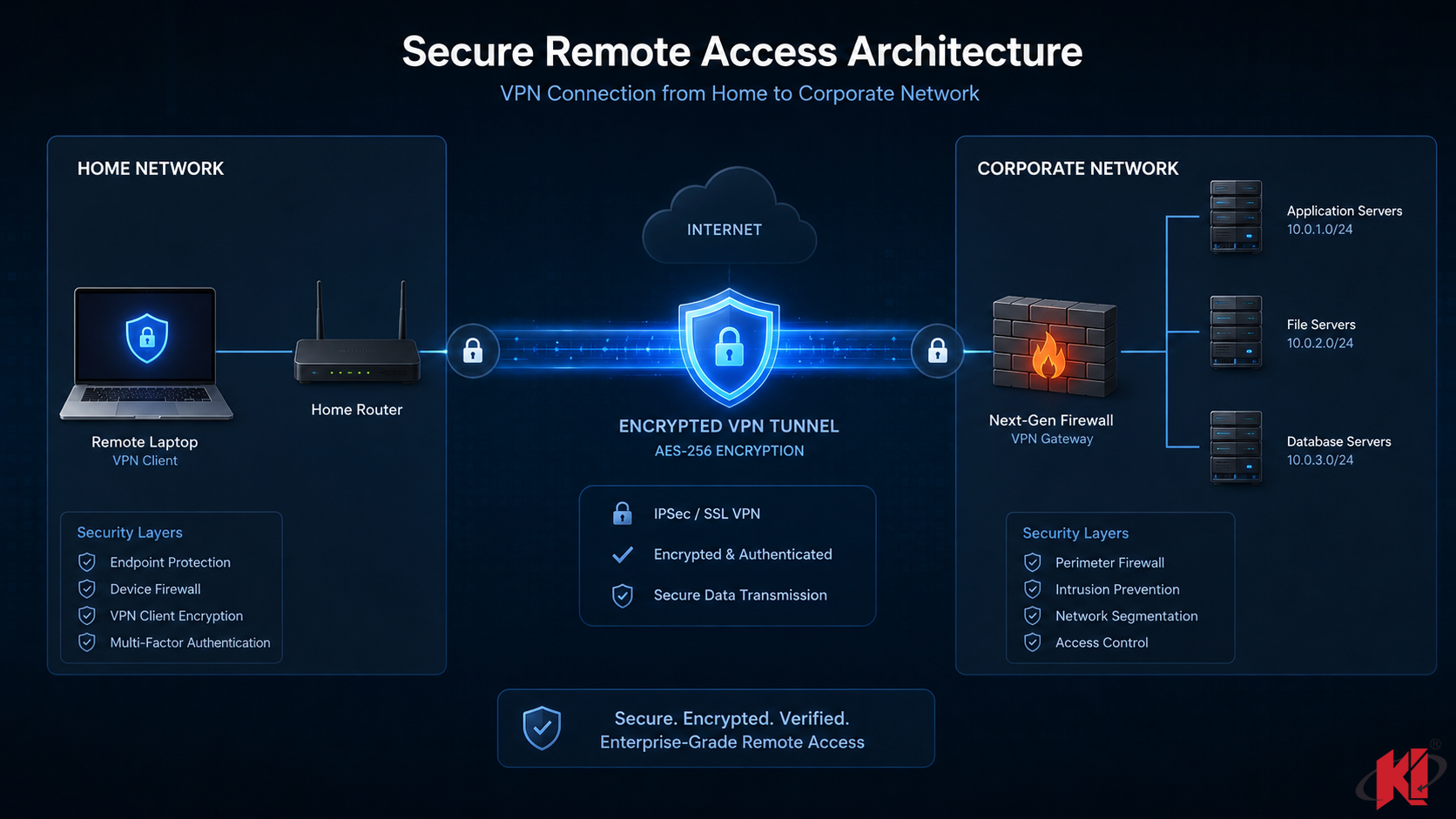
A VPN (Virtual Private Network) creates an encrypted tunnel between a remote device and the business network.
What a VPN Does
- Encrypts internet traffic
- Secures remote access
- Protects sensitive business communication
- Prevents traffic interception
- Allows secure internal system access
This ensures employees can safely connect from anywhere.
What is a Network Firewall?
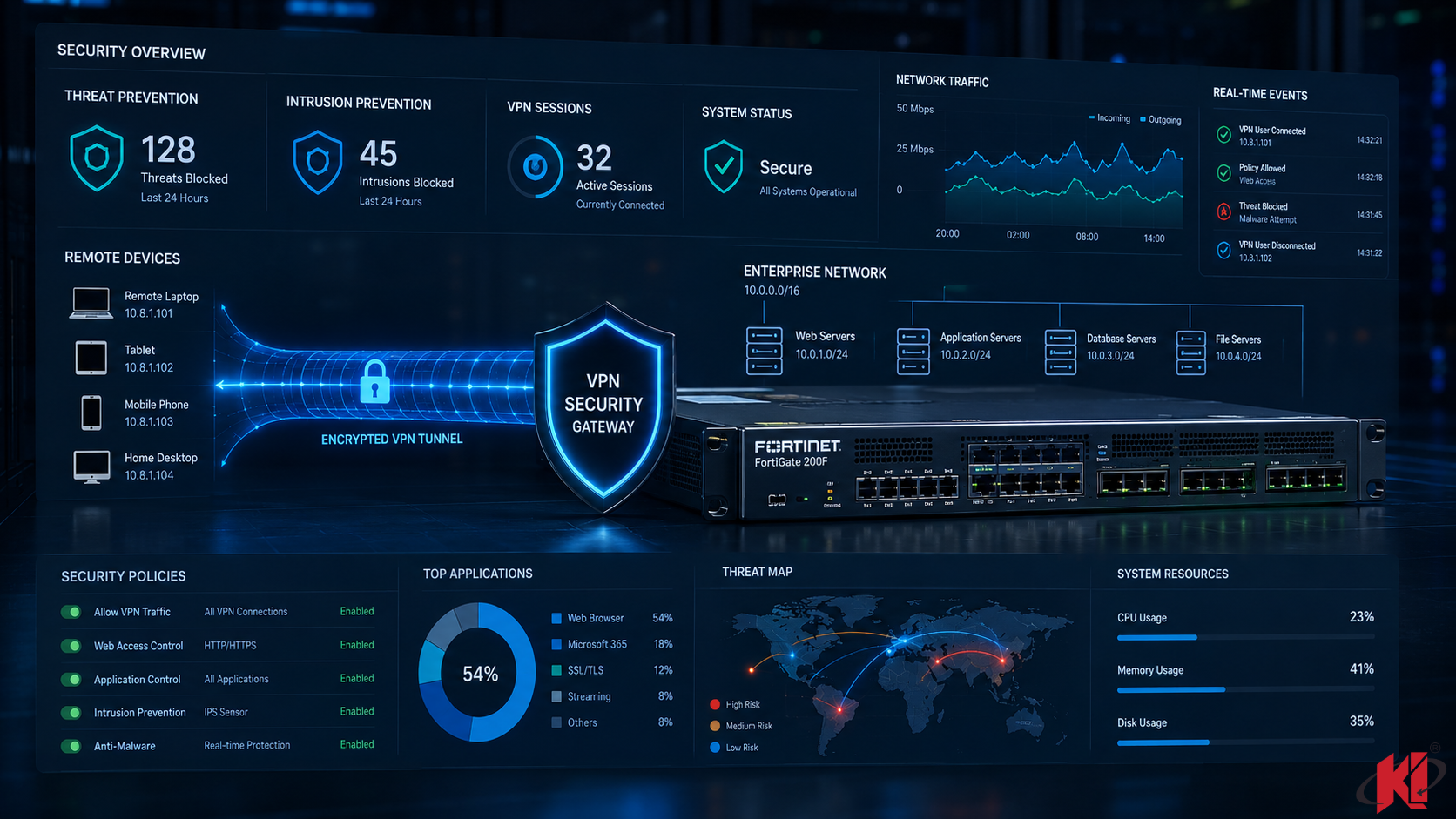
A firewall acts as your network’s security gatekeeper.
It monitors, filters, and controls traffic entering or leaving business systems.
A Firewall Protects Against:
- Unauthorized access attempts
- Malicious traffic
- Suspicious outbound activity
- Network intrusion attacks
- Policy violations
Modern firewalls also include:
- Threat intelligence
- Application filtering
- Web security controls
- Intrusion prevention systems
- VPN management
VPN vs Firewall: What’s the Difference?
| Feature | VPN | Firewall |
|---|---|---|
| Main Role | Secure connection | Traffic protection |
| Encrypts Data | Yes | No |
| Blocks Threats | Limited | Yes |
| Remote Access | Yes | Managed |
| Business Security Layer | Connection Security | Network Defense |
Why VPN Alone Is Not Enough
Many businesses assume a VPN alone provides full protection.
It does not.
A VPN secures traffic—but it does not inspect threats, block malicious traffic, or enforce advanced security policies.
That requires a firewall.
The strongest remote security combines:
- VPN encryption
- Firewall traffic inspection
- Endpoint security
- Access control policies
- Multi-factor authentication
Best Security Setup for Remote Teams
Small Teams
- Business VPN
- Endpoint protection
- Cloud access controls
Growing Businesses
- Managed firewall appliance
- Secure VPN gateway
- Central monitoring
Enterprise Teams
- Next-gen firewall
- Zero trust access policies
- SIEM monitoring
- Advanced threat protection
Common Work-From-Home Security Mistakes
- Using free VPN software
- No firewall policy control
- Shared personal devices
- Weak router passwords
- No endpoint monitoring
- No backup strategy
Who Needs VPN & Firewall Protection?
- Remote employees
- Hybrid workforces
- Financial businesses
- Healthcare organizations
- IT companies
- Businesses handling customer data
Need Secure Remote Access for Your Team?
Secure Remote Work Starts Here
We help businesses deploy secure VPN access, firewall protection, and remote work security solutions designed for modern hybrid teams.
Talk to Kapadia InfotechFinal Thoughts
Remote work is productive—but only when secure.
VPNs protect the connection.
Firewalls protect the business.
Together, they create the foundation for safe, reliable work-from-home operations.
Security should never be optional when business data is involved.