
Complete Office Network Setup Guide: LAN, Switches, Cabling, Firewall & Security
 Kapadia Infotech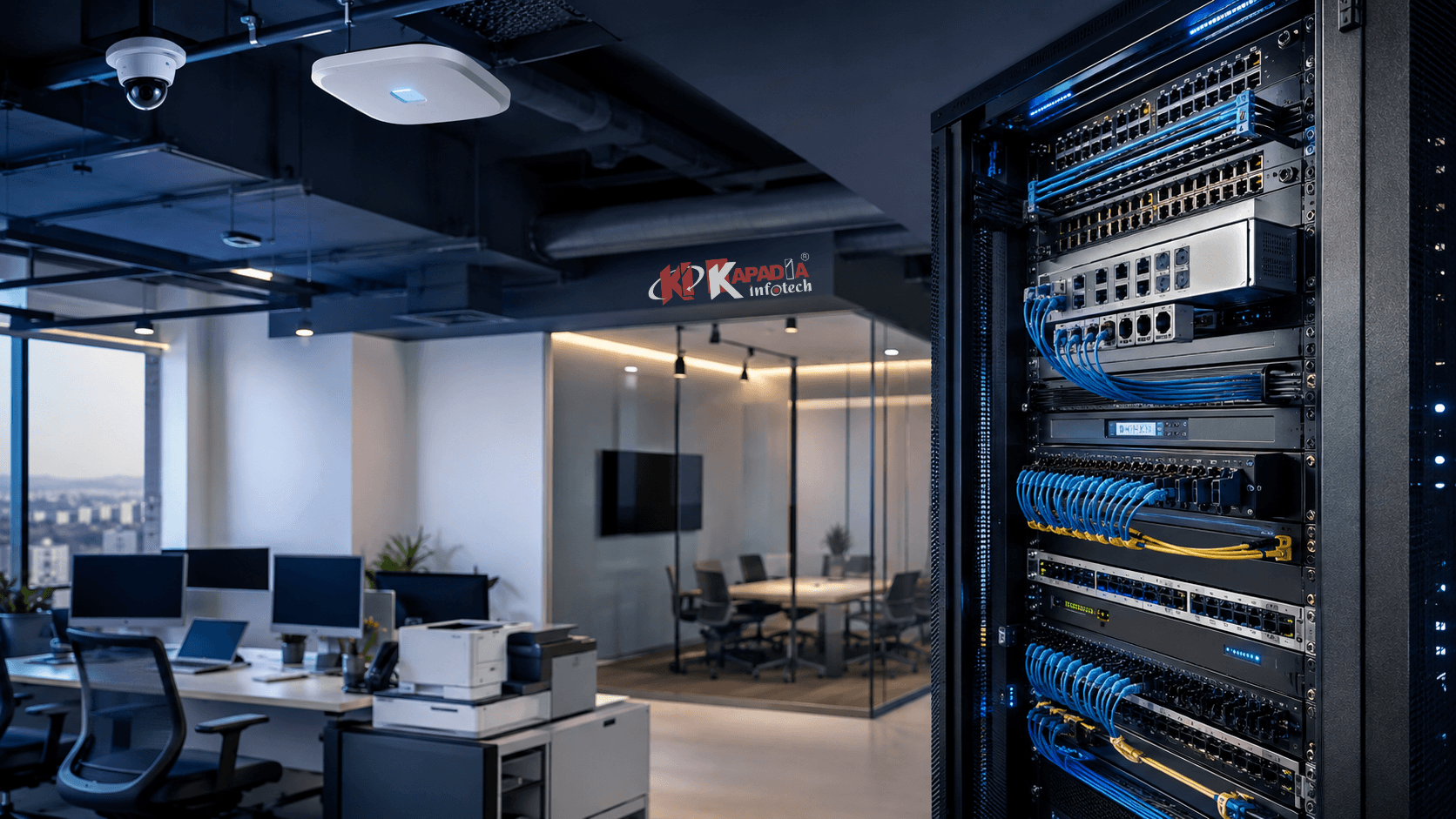
Introduction: What Makes a Good Office Network?
A modern business depends on its network for almost everything. Employees access cloud applications, share files, use business software, attend video meetings, connect to printers, access servers, communicate through VoIP systems and work through internet-based platforms throughout the day.
When the network is poorly designed, even a fast internet connection may not deliver a reliable experience. Slow file transfers, unstable WiFi, disconnected devices, network congestion and security vulnerabilities can affect productivity across an organization.
A properly planned office network setup brings all these elements together into a structured, secure and scalable infrastructure.
A Business Network Is More Than WiFi
A professional office network can include internet connectivity, firewall protection, routing, managed switches, structured LAN cabling, WiFi access points, servers, printers, CCTV, VPN access and network monitoring — all designed to work together.
For businesses planning a LAN network setup, new office infrastructure or a network upgrade, understanding these components before purchasing hardware can prevent expensive redesigns later.
What Is an Office Network Setup?
An office network setup is the complete infrastructure used to connect computers, laptops, servers, printers, access points, security systems and other business devices so that they can communicate securely and reliably.
A typical business network may contain:
Internet Connection
Provides connectivity to cloud applications, websites, email, remote services and external business systems.
Firewall / Gateway
Controls network traffic and provides security features between the internal network and the internet.
Network Switches
Connect wired devices such as computers, servers, printers, access points and CCTV equipment.
WiFi Access Points
Provide wireless connectivity to employees, guests, mobile devices and business equipment.
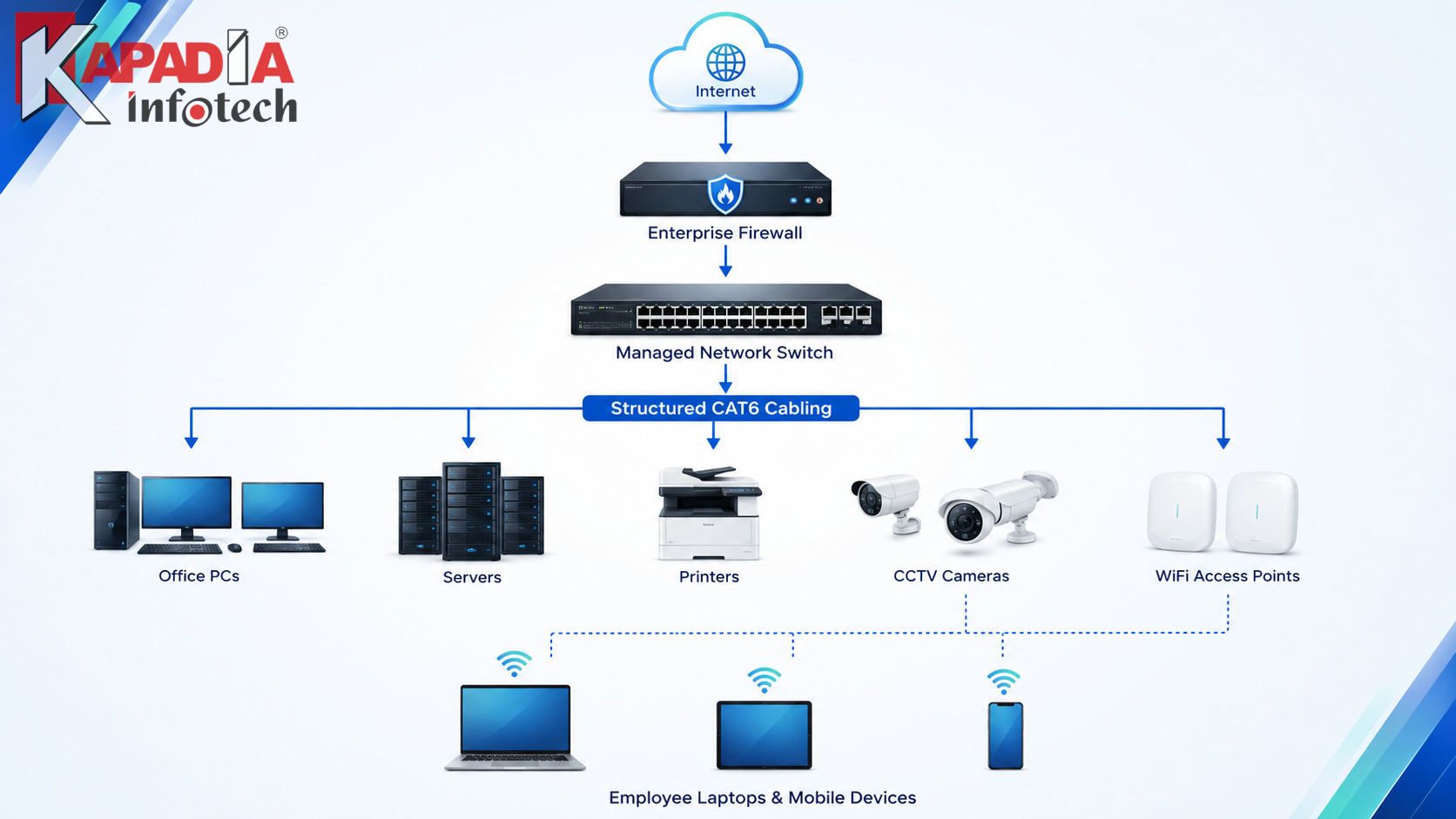
Basic Office Network Architecture
Before purchasing equipment, it is useful to understand how the major components fit together.
Internet → Firewall/Gateway → Core or Managed Switch → LAN Cabling → PCs / Servers / Printers / CCTV / Access Points
Wireless devices connect through properly positioned access points, while guest networks, employee networks and security devices can be separated according to the organization's requirements.
Step 1: Start With Network Planning
The most common mistake in an office network project is buying hardware before understanding the actual requirements.
A proper business network setup should begin with a site and requirement assessment.
Number of Users
Estimate current employees and expected growth over the next few years.
Number of Devices
Include computers, laptops, printers, servers, CCTV cameras, access points, phones and IoT devices.
Office Layout
Consider floors, departments, meeting rooms, cabins, reception, server rooms and storage areas.
Business Applications
Identify ERP, cloud applications, VoIP, video conferencing, file servers and other critical workloads.
Planning also needs to consider future expansion. A network designed exactly for today's device count may become a limitation when the business adds employees, branches, cameras or cloud applications.
Step 2: Choose the Right Internet & Gateway Architecture
The internet connection is only the beginning of the network. Businesses should also consider how internet traffic enters and leaves the organization.
Depending on requirements, an office may use a dedicated business broadband connection, fiber connection, multiple internet service providers or redundant WAN connectivity.
A professional gateway or firewall can then manage the connection and apply security policies.
Router vs Firewall: Why Businesses May Need Both
Routers and firewalls can sometimes exist in the same physical appliance, but they perform different networking functions.
| Router / Gateway | Firewall |
|---|---|
| Handles routing between networks | Controls and inspects network traffic |
| Connects different network segments | Applies security policies |
| Provides NAT and routing functions | Can provide threat prevention and filtering |
| May manage WAN connectivity | Can provide VPN and security controls |
For businesses handling sensitive data, multiple users, remote access or critical applications, enterprise-grade firewall protection should be considered rather than relying only on the basic security features of an ISP router.
Step 3: Select the Right Network Switches
The network switch is one of the most important components of a wired office network. It connects computers, servers, printers, access points, CCTV cameras and other Ethernet devices.
Switch selection should be based on more than just the number of ports.
Port Count
Choose enough ports for current devices while leaving room for future expansion.
Gigabit Connectivity
Gigabit Ethernet is suitable for many modern office endpoints, while higher-speed uplinks may be appropriate for servers and core infrastructure.
PoE Support
Power over Ethernet can simplify deployment of WiFi access points, IP cameras and compatible devices.
Managed Features
Managed switches can provide VLANs, monitoring, traffic controls and other features required in larger business networks.
Managed vs Unmanaged Switches
Small offices with simple networking requirements may be able to use unmanaged switches. However, growing businesses often benefit from managed switches because they provide greater control and visibility.
| Unmanaged Switch | Managed Switch |
|---|---|
| Simple plug-and-play operation | Configurable network management |
| Limited visibility | Better monitoring and control |
| Suitable for simple networks | Suitable for structured business networks |
| Limited segmentation | Supports features such as VLANs on supported models |
Step 4: Plan Structured LAN Cabling
A reliable wired network begins with good cabling.
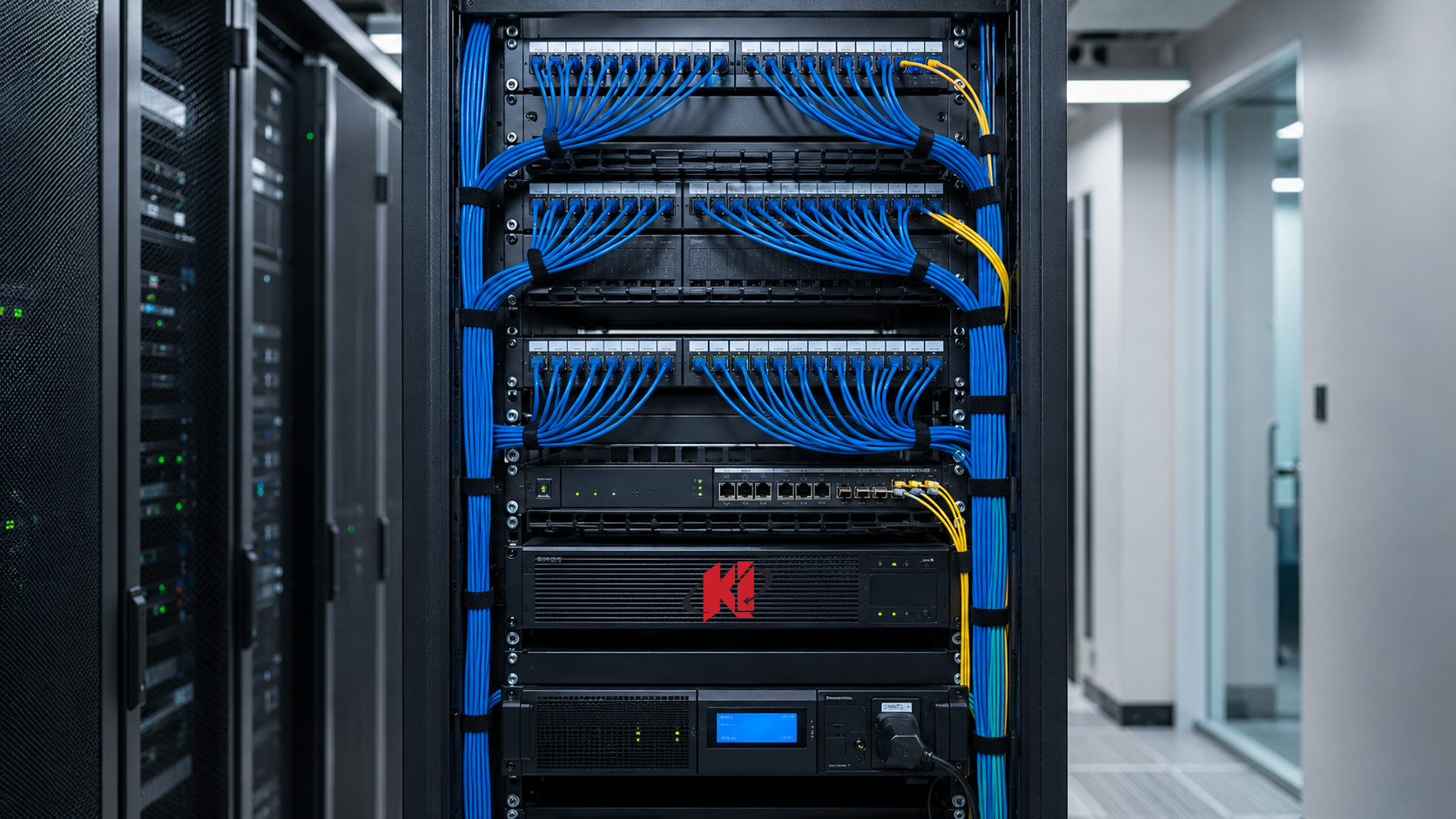
Structured cabling provides an organized physical infrastructure connecting workstations, network racks, switches, access points, printers, CCTV cameras and other devices.
For a new office, cabling should ideally be planned before furniture and interior work are finalized.
CAT6 Network Cabling
CAT6 is widely used for modern Ethernet installations. However, cable selection should be based on required speeds, distances, environment, installation method and future requirements rather than simply choosing the highest category available.
Fiber Optic Cabling
Fiber can be useful for longer distances, inter-floor links, building-to-building connections and higher-bandwidth backbone connections where copper cabling is not appropriate.
Proper cable routing, labeling, termination, patch panels, rack organization and testing are just as important as the cable category itself.
Step 5: Design Business WiFi Separately From Wired LAN
WiFi should not be treated as simply placing one powerful router in the middle of an office.
Professional business WiFi setup requires consideration of office size, walls, user density, interference, access point placement, bandwidth requirements and roaming.
For larger offices, multiple professionally positioned access points connected through Ethernet cabling can provide better coverage and capacity than relying on a single wireless device.
For a deeper explanation, see our guide on Business WiFi Setup Guide: How to Choose Enterprise Networking Solutions.
You can also learn about the differences between Mesh Routers, WiFi Extenders and Access Points.
Step 6: Segment the Network for Better Security
Not every device in an organization needs to communicate with every other device.
Network segmentation can separate different categories of devices and users according to business requirements.
Employee Network
For computers, laptops and authorized business users.
Guest WiFi
Provides internet access without exposing internal business resources.
CCTV Network
Can separate surveillance traffic from normal employee traffic where appropriate.
IoT / Devices
Can isolate compatible smart devices and specialized equipment from critical systems.
VLANs and firewall policies can be used as part of a broader segmentation strategy depending on the network architecture.
Step 7: Secure the Network With an Enterprise Firewall
Network security should be considered from the beginning of an office network project rather than added after deployment.
A business firewall may provide capabilities such as:
- Traffic filtering
- Application control
- Web filtering
- VPN connectivity
- Intrusion prevention
- Malware and threat protection
- Network segmentation policies
- User-based access policies
- Bandwidth and traffic management
- Security logging and monitoring
The exact capabilities depend on the firewall platform and licensing.
Step 8: Plan VPN Access for Remote Employees
Businesses increasingly need secure access to internal resources from outside the office.
A properly configured business VPN can provide encrypted remote connectivity for authorized users or branches, depending on the architecture.
VPN planning should also consider authentication, MFA, user permissions, device security and bandwidth.
Step 9: Consider Network Redundancy
For businesses where internet downtime affects operations, a single internet connection can represent a significant point of failure.
Depending on business requirements, organizations may consider:
- Dual ISP connections
- WAN failover
- Backup internet connectivity
- Redundant network equipment
- UPS protection
- Backup configurations
Not every business needs full network redundancy. The appropriate level depends on the cost of downtime and the importance of network availability.
Step 10: Protect Network Equipment With Proper Power & Rack Infrastructure
A professionally installed network can still experience problems if the physical infrastructure is neglected.
Network racks should provide appropriate space for switches, firewall appliances, patch panels, cable management and future expansion.
UPS systems can also provide temporary power protection for critical network equipment during power interruptions.
How Should an Office Network Be Designed by Business Size?
| Business Environment | Typical Networking Considerations |
|---|---|
| Small Office | Gateway/firewall, gigabit switch, structured cabling and one or more access points |
| Medium Office | Managed switches, multiple APs, VLANs, firewall, server/NAS and better network monitoring |
| Large Office | Core/distribution architecture, managed switching, multiple VLANs, redundant connectivity and centralized security |
| Multi-Floor Office | Floor-level switching, structured backbone, fiber uplinks where required and centrally managed WiFi |
| Industrial Facility | Industrial networking considerations, secure segmentation, CCTV, access control and reliable connectivity |
Common Office Network Setup Mistakes
Buying Hardware First
Choosing routers and switches before understanding the network requirement can lead to poor capacity planning.
One Router for Everything
A basic router may not be appropriate as the central solution for a growing business network.
Poor Cabling
Unlabeled, poorly terminated or badly routed cables can make troubleshooting unnecessarily difficult.
Ignoring Security
Network infrastructure should be designed with firewall policies, access controls and segmentation in mind.
Insufficient Expansion
Using every available switch port on day one leaves little room for future growth.
Poor WiFi Planning
Access points should be positioned based on coverage and capacity rather than simply convenience.
How Much Does an Office Network Setup Cost?
The cost of an office network varies significantly depending on the number of users, number of devices, office size, cabling requirements, internet architecture, firewall requirements, WiFi coverage, switch capacity and desired security level.
For this reason, a professional network setup should ideally be quoted after understanding the actual requirements rather than using a single fixed price.
- Number of network points
- CAT6 or fiber cabling requirements
- Number and type of switches
- Managed vs unmanaged infrastructure
- Firewall and security requirements
- Number of WiFi access points
- Server and storage requirements
- Rack and UPS requirements
- Network configuration and installation
- Testing and documentation
For a more detailed discussion of Complete New Office IT Infrastructure Checklist, see our guide on Complete New Office IT Infrastructure Checklist.
Office Network Installation in Ahmedabad
Businesses in Ahmedabad range from small professional offices and SMEs to manufacturing facilities, warehouses, educational institutions, healthcare organizations and larger corporate environments. Each has different networking requirements. For more on business infrastructure setup in an Ahmedabad office, see our guide on Business IT Infrastructure Setup Guide: Servers, Storage, Networking & Security.
A professional office network setup in Ahmedabad should therefore be designed around the organization's actual building layout, number of users, applications, security requirements and future growth.
Industrial areas and commercial zones such as SG Highway, Prahlad Nagar, Satellite, Navrangpura, Odhav, Vatva, Naroda, Kathwada, Changodar and Sanand also present very different infrastructure environments, from conventional offices to large industrial and warehouse facilities.
Rather than treating every installation as the same, Kapadia Infotech approaches networking projects based on the required combination of LAN, WiFi, switching, firewall, structured cabling, security and ongoing IT support.
Why Choose Kapadia Infotech for Business Networking?
Kapadia Infotech provides technology products and IT infrastructure solutions for businesses in Ahmedabad, combining hardware supply with deployment, configuration, upgrades, troubleshooting and ongoing support.
Network Infrastructure
LAN, switches, routers, firewalls, access points and structured cabling solutions.
Enterprise Security
Firewall, VPN, endpoint security and network protection solutions.
Complete IT Integration
Networking can be integrated with servers, storage, CCTV, printers, conference rooms and other business infrastructure.
Ongoing IT Support
Maintenance, troubleshooting, upgrades and Annual Maintenance Contract support for businesses.
Planning a New Office Network?
Whether you need a small office LAN, a multi-floor corporate network, industrial networking infrastructure or a complete networking upgrade, Kapadia Infotech can help evaluate your requirements and recommend the appropriate combination of cabling, switches, firewall, WiFi and network security.
Talk to Our Networking TeamFrequently Asked Questions
What is included in an office network setup?
An office network setup can include internet connectivity, firewall or gateway, routers, switches, structured LAN cabling, WiFi access points, network racks, UPS systems, network configuration, security policies and testing. The exact components depend on the size and requirements of the business.
How much does office network installation cost?
The cost depends on factors such as office size, number of users, number of network points, cabling, switches, firewall, WiFi access points, rack infrastructure and installation requirements. A site assessment provides a more accurate estimate than a generic package price.
Which cable is best for an office network?
CAT6 is commonly used for modern office Ethernet installations, while CAT6A or fiber may be appropriate for specific higher-performance, longer-distance or backbone requirements. Cable selection should be based on speed, distance, environment and future requirements.
Do small offices need a firewall?
Every business should consider appropriate network security. The specific firewall requirement depends on the number of users, applications, internet architecture, remote access requirements and security risks. A professional assessment can determine the appropriate solution.
Should I use a managed or unmanaged network switch?
Unmanaged switches can be suitable for simple networks. Managed switches provide additional configuration, monitoring and segmentation capabilities and are generally more appropriate when a business needs greater control over its network.
How many WiFi access points does an office need?
There is no universal number. Access point requirements depend on office size, wall construction, user density, device count, interference and expected bandwidth. A proper site survey or wireless design provides a more reliable answer.
Can CCTV and WiFi use the same network?
They can share the physical network infrastructure when appropriately designed, but businesses may use VLANs, separate network segments and firewall policies to isolate surveillance traffic and improve security and performance.
Can an office network support future expansion?
Yes. A properly planned network should include spare switch capacity, structured cabling expansion, appropriate IP addressing, scalable WiFi and sufficient rack and power capacity to accommodate future growth.
Does Kapadia Infotech provide office network setup in Ahmedabad?
Yes. Kapadia Infotech provides networking products and IT infrastructure solutions for businesses in Ahmedabad, including LAN infrastructure, switches, routers, firewalls, WiFi, structured cabling, network security, troubleshooting and ongoing IT support.
Final Thoughts
A reliable office network is not simply a collection of routers, switches and cables. It is an infrastructure system that needs to be planned around users, applications, security, physical layout and future growth.
From LAN network setup and structured cabling to managed switches, enterprise firewalls, business WiFi and VPN connectivity, each component plays an important role in creating a stable business environment.
For organizations planning a new office, relocating, expanding or upgrading an existing network, investing in proper network design can help reduce connectivity problems, improve security and make future expansion easier.
If you are looking for office network setup in Ahmedabad, LAN installation, structured cabling, business WiFi, firewall deployment or complete networking solutions, Kapadia Infotech can help evaluate the requirements and build an infrastructure suited to your organization.
Build a Network That Is Ready for Your Business Today — and Tomorrow
Talk to Kapadia Infotech about your office networking requirements, from LAN and structured cabling to switches, firewall, WiFi and network security.
Request a Network Consultation


